LLM을 모델을 많이 쓰는 사람이라면 같은 질문이라도 프롬프트를 어떻게 쓰느냐에 따라 결과가 완전히 달라지는 것을 경험해봤을 것이다. 결국 중요한 건 AI가 내 의도를 얼마나 정확히 이해하게 하느냐인데, 그걸 매번 사람이 일일이 조율하는 건 생각보다 쉽지 않다. 때문에 이미 서비스 중인 ‘Prompt Engineering Tool’들도 있을 정도다.
그래서 이번 프로젝트는 n8n 워크플로우에 Upstage Solar Pro 모델을 연동해 AI가 자동으로 완성도 높은 프롬프트를 생성하는 시스템을 만들어보았다.
사용자가 직접 프롬프트를 작성하지 않아도 AI가 대화 맥락을 분석해 부족한 정보를 스스로 묻고 모든 입력을 종합해 최적화된 프롬프트를 JSON 형식으로 반환한다.
Upstage LLM 연동하는 방법은 이전 글에 적어두었다. "Upstage LLM 연동하기
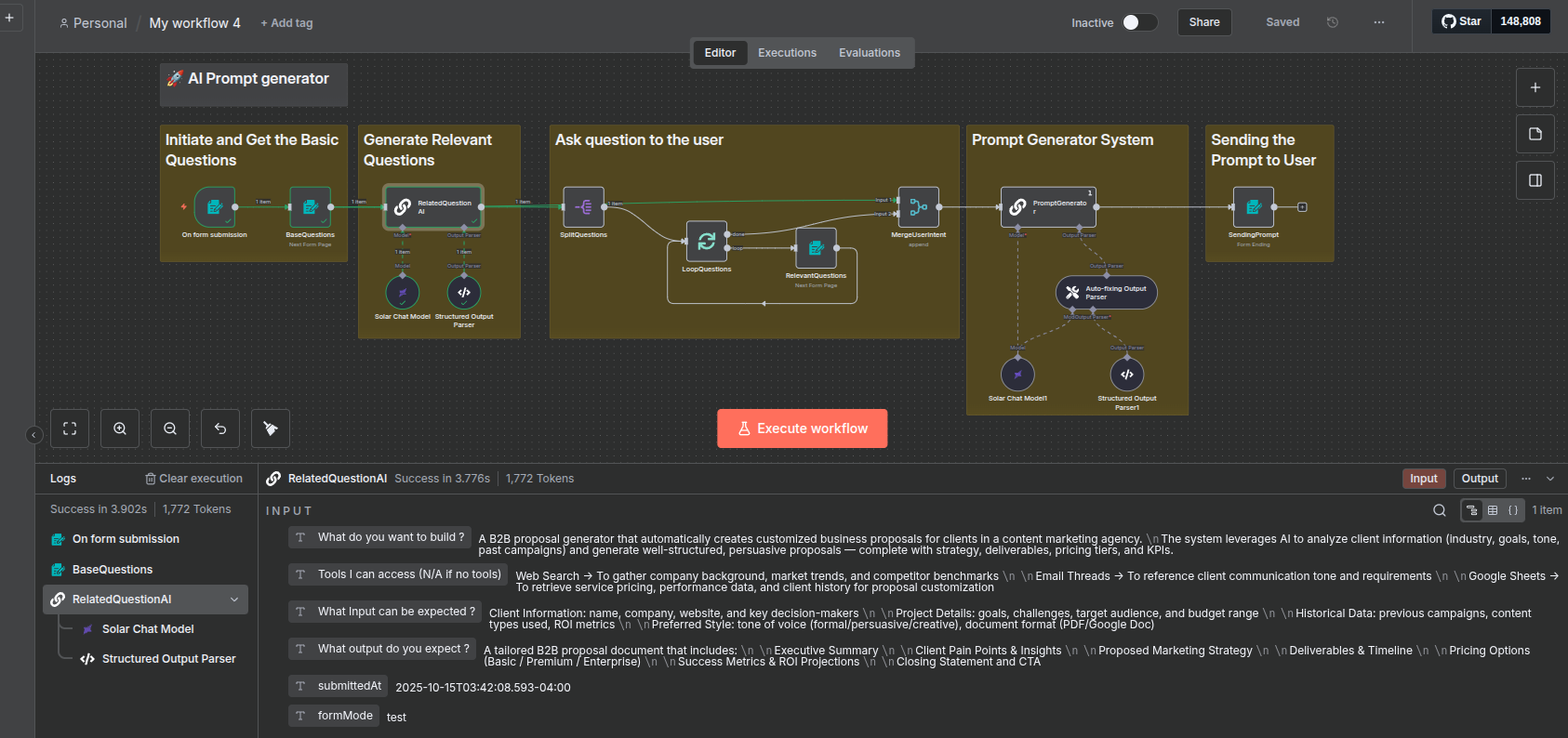
워크플로는 다섯개 섹션으로 구성된다.
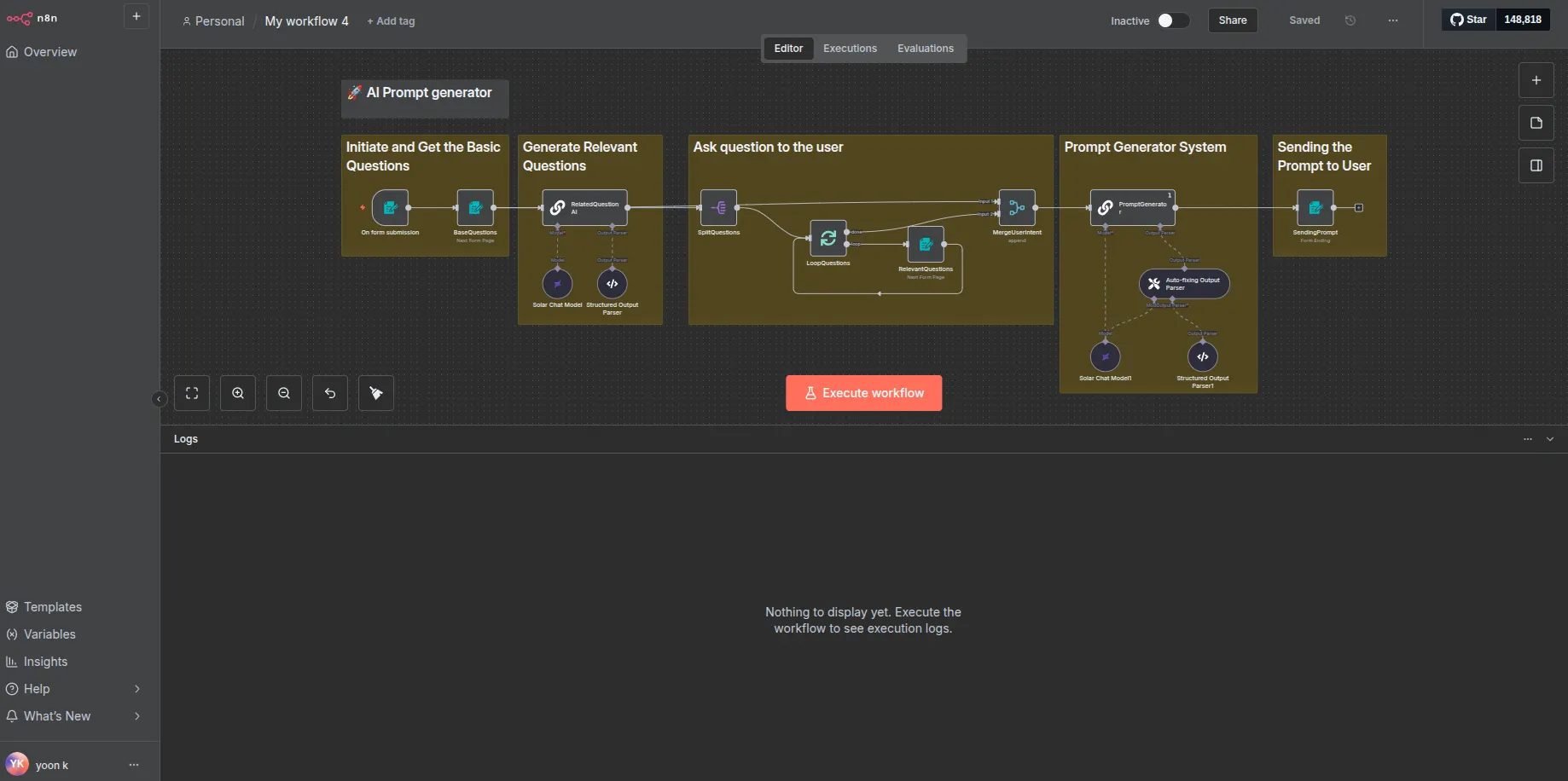
단계 설명 주요 노드
| 1. Initiate & Get Basic Questions | 기본 정보 수집 | On form submission, BaseQuestions |
| 2. Generate Relevant Questions | LLM이 추가 질문 생성 | RelatedQuestionAI, Solar Chat Model, Structured Output Parser |
| 3. Ask Question to the User | 사용자 인터랙션 단계 | SplitQuestions, LoopQuestions, RelevantQuestions, MergeUserIntent |
| 4. Prompt Generator System | 완성 프롬프트 생성 | PromptGenerator, Solar Chat Model1, Auto-fixing Parser |
| 5. Sending the Prompt to User | 결과 표시 | SendingPrompt |
Step 1. 기본 입력 폼 — Enrich Prompt

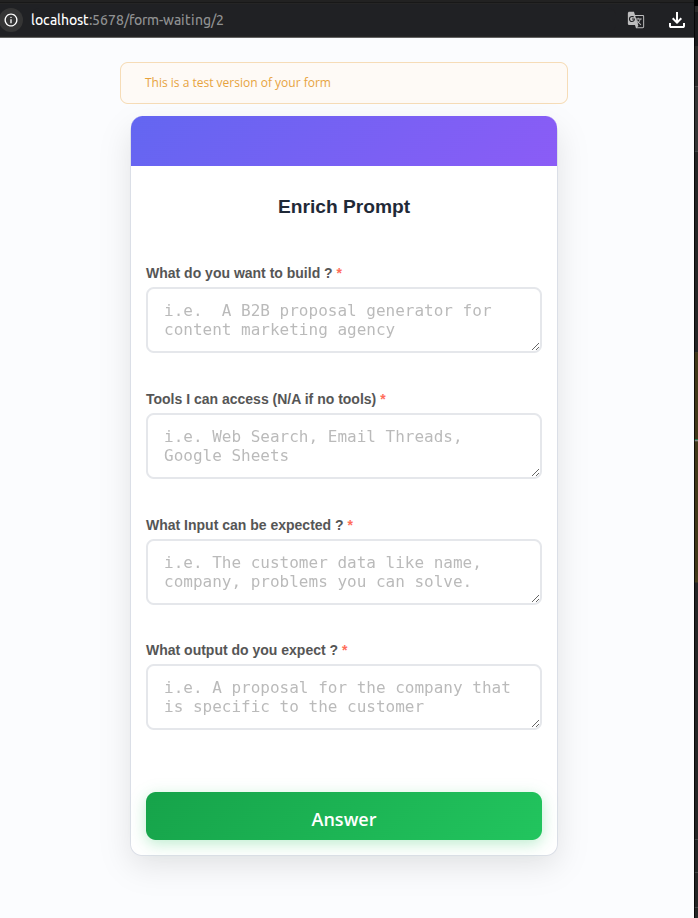
워크플로의 시작은 BaseQuestions 폼인데, 사용자는 다음과 같은 질문을 기본적으로 입력하도록 구성했다.
항목 설명 입력 예시
| What do you want to build? | 만들고 싶은 AI 도구 | “A B2B proposal generator for content marketing agency” |
| Tools I can access | 접근 가능한 리소스 | “Web Search, Email Threads, Google Sheets” |
| What Input can be expected? | 예상 입력 데이터 | “Customer name, company, pain points” |
| What output do you expect? | 원하는 결과물 | “A tailored proposal for the client” |
폼을 제출하면 On form submission 트리거가 활성화되어 입력 데이터를 Solar Chat Model로 전달한다.
Step 2. 관련 질문 자동 생성
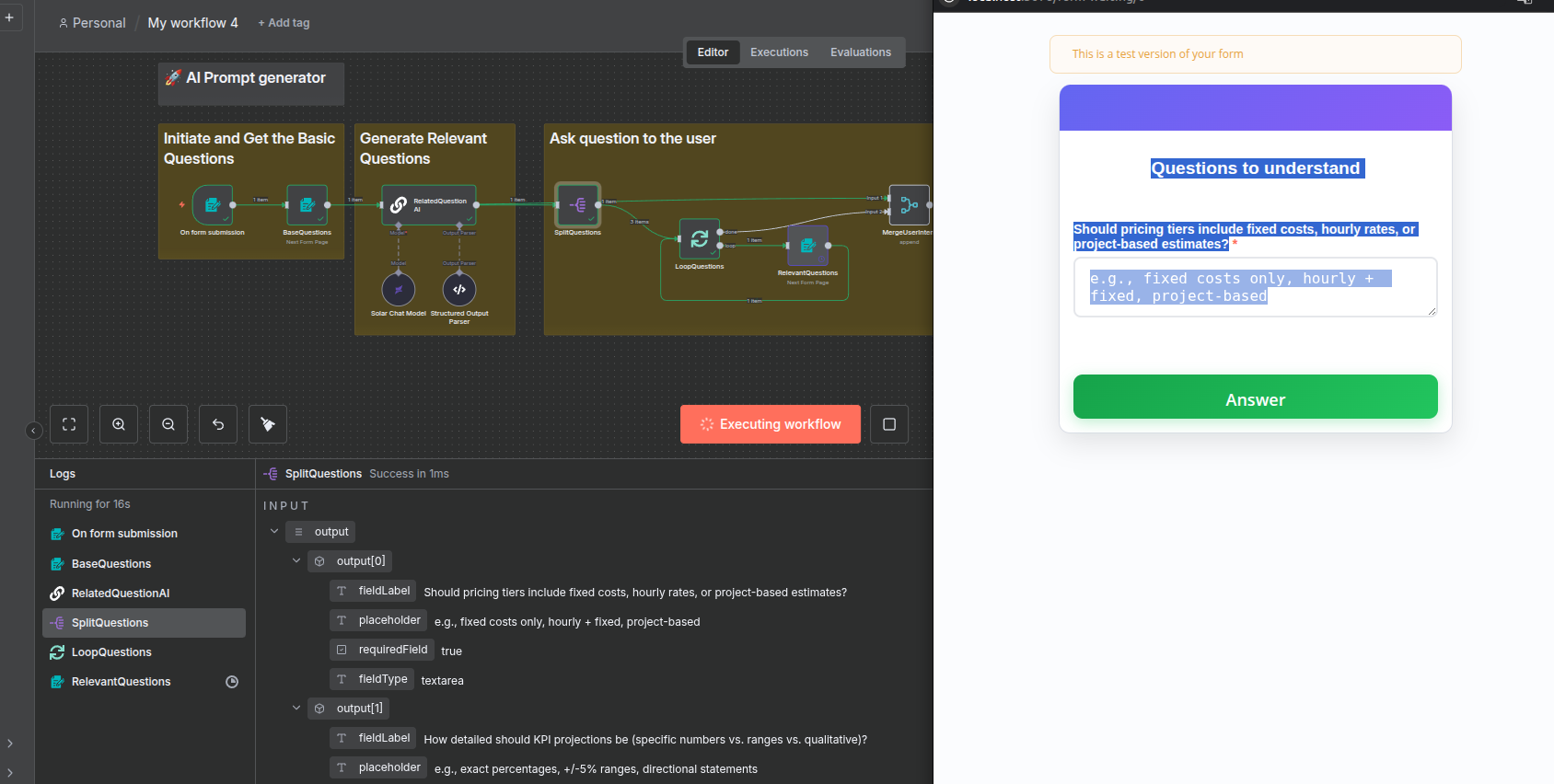
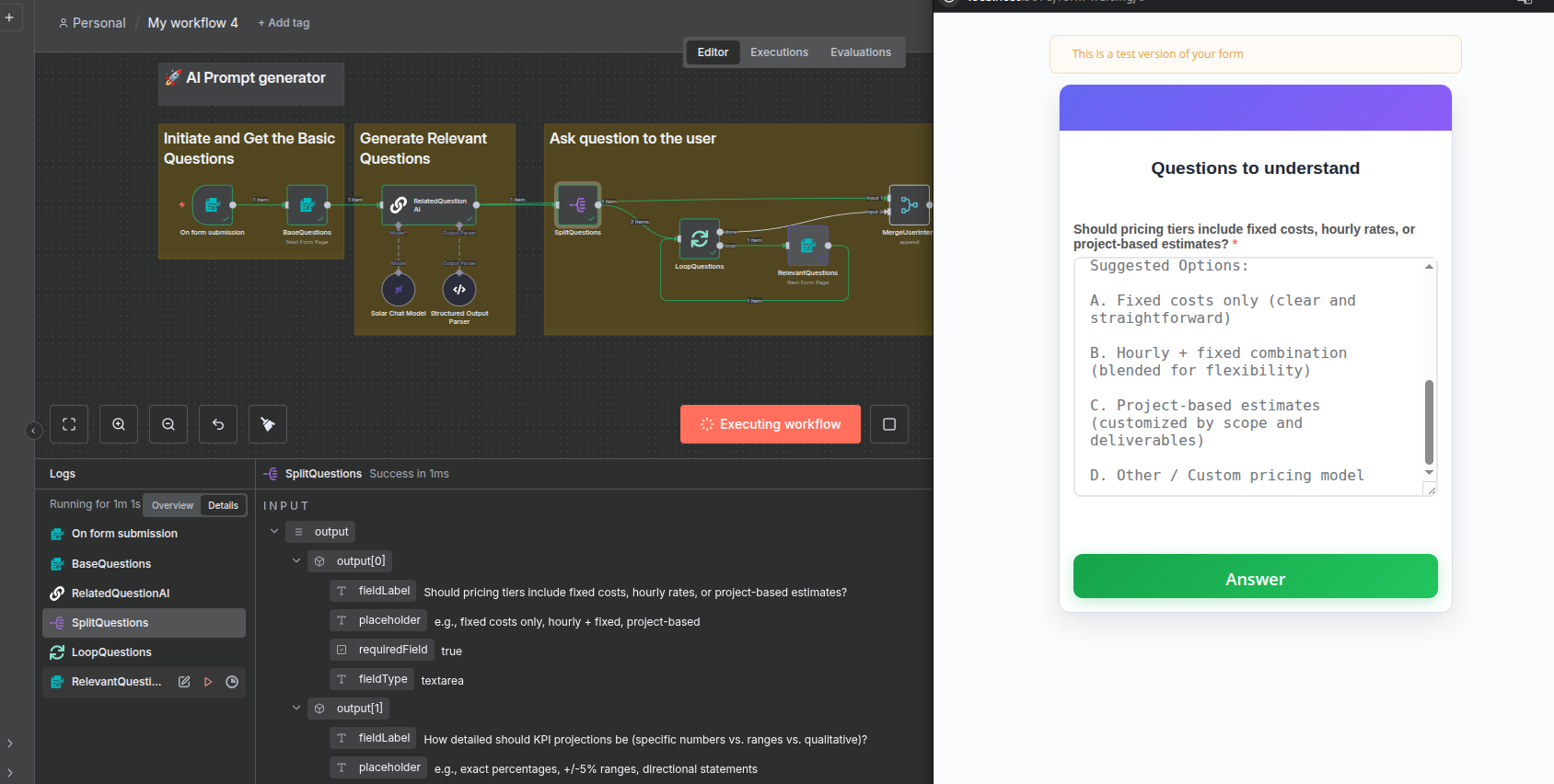

RelatedQuestionAI 노드에서 Upstage Solar LLM이 동작하며, 기본 입력을 분석해 추가로 물어볼 질문 2~3개를 자동 생성한다.
폼은 자동으로 생성되며, 사용자는 직접 대답을 입력한다.
예시 출력:
Q1. Should pricing tiers include fixed costs, hourly rates, or project-based estimates?

Q2. How detailed should KPI projections be (specific numbers vs. ranges vs. qualitative)?

Q3. Should the proposal include competitor benchmarking from web search results?
Solar 모델의 Structured Output Parser가 이를 JSON 배열로 변환해 다음 단계(SplitQuestions)로 넘긴다.
내가 제출한 응답은 아래 로그 출력에서 확인할 수 있다.
Step 3. Prompt Generator System

이제 PromptGenerator 체인이 실행된다.
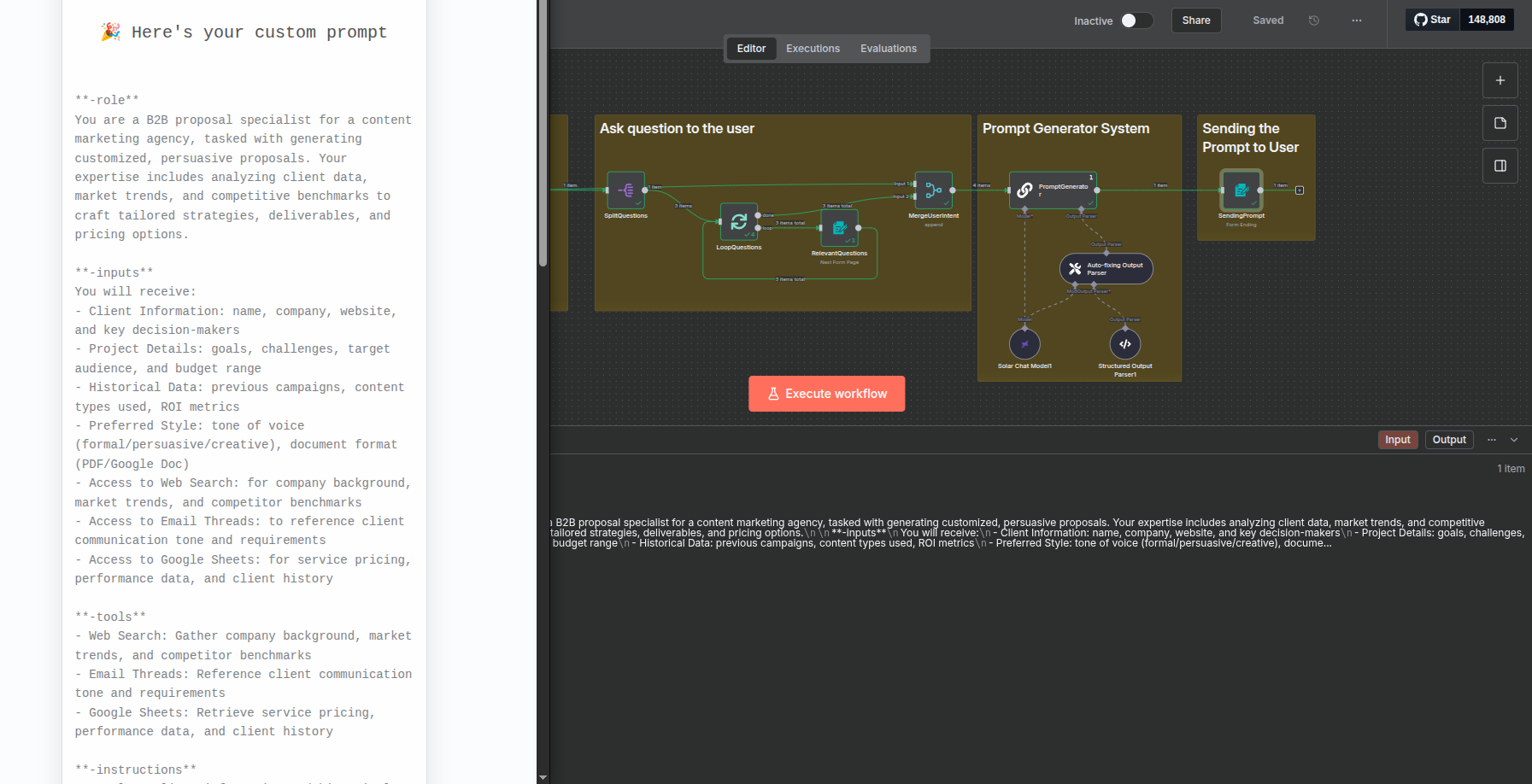
최종적으로 LLM은 모든 정보를 종합해 구조화된 프롬프트(JSON) 를 생성하게 된다.
- Solar Chat Model1: Upstage Solar Pro
- Auto-fixing Output Parser: 결과 JSON 자동 교정
- Output Schema: { "prompt": "..." }
Upstage console API
https://console.upstage.ai/docs/getting-started
추천인 코드: UPWAVE-YOONK
'Upstage' 카테고리의 다른 글
| Upstage Document Parse API 가이드 (0) | 2025.11.25 |
|---|---|
| Upstage Information Extraction(정보추출) API 가이드 (0) | 2025.11.10 |
| n8n + Upstage Console로 만드는 간단한 채팅 에이전트 (0) | 2025.10.02 |
| Upstage Console 소개 (0) | 2025.09.15 |
| Upstage LMS 강의 후기 (0) | 2025.09.08 |