문서 자동화는 “무엇을 얼마나 정확하게, 얼마나 빨리 제품에 붙일 수 있는가”의 문제다. Upstage는 같은 ‘정보 추출’이라도 Universal IE와 Prebuilt IE라는 두 개의 다른 무기를 제공한다. 이름만 비슷할 뿐 성격과 장점이 뚜렷하게 다르다. 이 글은 두 방식을 언제 쓰고 어떻게 쓰면 되는지, 핵심 기능과 손에 잡히는 코드까지 묶어 완성형 가이드로 정리한다.
Information Extraction(IE)은 비정형 문서에서 키-값 형태의 구조화 데이터를 뽑아내는 기술이다.
Upstage IE의 특징은 다음과 같다.
- 문서 범용성: PDF, 스캔 이미지, 모바일 촬영본, DOCX·PPTX·XLSX까지 폭넓게 다룬다
- 의미 단위 추출: 단순 OCR이 아니라 문맥을 이해해 암시 정보(총액 합산, 레이블 부재 항목 의미 추론 등)까지 보완한다
- 후처리 메타: 값별 **좌표(location)**와 **신뢰도(confidence)**를 옵션으로 함께 반환한다
- 확장 방식 이원화
- Universal IE: 스키마만 주면 그 구조대로 값을 채워준다
- Prebuilt IE: 영수증·상업송장·선하증권 등 서식 특화 모델이 고정 키셋을 높은 정확도로 반환한다
- 개발자 친화성: OpenAI 호환 인터페이스라 기존 클라이언트로 바로 붙일 수 있다
| 문서 포맷이 제각각이고, 과제마다 추출 필드가 자주 바뀜 | Universal IE | 스키마만 바꾸면 응답 구조가 바뀐다. 개발 주기가 빠르다 |
| 특정 서식(영수증/상업송장/선하증권 등)을 대량, 고정 키로 뽑음 | Prebuilt IE | 문서 유형별로 미세조정된 모델. 수십~수백 키에서 90–95% 정확도 기대 |
| 품질 낮은 스캔/회전/워터마크/체크박스 등 와일드한 입력 | Prebuilt IE 우선, Universal은 enhanced 모드 고려 | Prebuilt는 야전 문서에 강하다. Universal도 mode="enhanced"로 보완한다 |
| 좌표 하이라이트/휴먼 검수 라우팅 필요 | Universal IE + location/confidence | 값별 페이지·정규화 좌표, 신뢰도를 함께 받아 후처리가 쉽다 |
탐색/확장성은 Universal, 정해진 양식 대량 처리는 Prebuilt가 유리하다.
- Universal IE:
Use Case:
A. 기본 호출 흐름 3단계
1. 파일 첨부: URL 또는 Base64를 messages[].content에 담는다
2. 스키마 선언: response_format=json_schema로 원하는 구조를 정의한다
3. 응답 파싱: choices[0].message.content의 JSON 문자열을 파싱한다
# pip install openai
from openai import OpenAI
import base64, json

cli = OpenAI(api_key="UPSTAGE_API_KEY", base_url="https://api.upstage.ai/v1/solar")

def b64(p): return base64.b64encode(open(p,"rb").read()).decode()

messages=[{"role":"user","content":[
    {"type":"image_url","image_url":{"url":f"data:application/octet-stream;base64,{b64('./invoice.png')}"}}]}]

response_format={
  "type":"json_schema",
  "json_schema":{"name":"commercial_invoice_v1","schema":{
    "type":"object",
    "properties":{
      "invoice_date":{"type":"string"},
      "shipper":{"type":"object","properties":{"name":{"type":"string"},"address":{"type":"string"},"tel":{"type":"string"}}},
      "consignee":{"type":"object","properties":{"name":{"type":"string"},"address":{"type":"string"},"tel":{"type":"string"}}},
      "items":{"type":"array","items":{"type":"object","properties":{
        "description":{"type":"string"},"qty":{"type":"string"},"unit_price":{"type":"string"},"amount":{"type":"string"}}}},
      "total_amount":{"type":"string"},
      "container_no":{"type":"array","items":{"type":"string"}},
      "incoterm":{"type":"string"}
    },
    "required":["items","total_amount"]
  }}}

resp = cli.chat.completions.create(
  model="information-extract",
  messages=messages,
  response_format=response_format,
  extra_body={"mode":"enhanced","location":True,"confidence":True}  # 필요 시
)

data = json.loads(resp.choices[0].message.content)  # 값
입력 요건 핵심: JPEG/PNG/BMP/PDF/TIFF/HEIC/DOCX/PPTX/XLSX, ≤50MB, ≤100페이지, OCR은 영문·숫자·한글·한자 지원(중·일 한자계는 베타)다. 대용량 PDF는 샤딩→병합 파이프라인을 권장한다.
B. 자동 스키마 생성
샘플 최대 3개만 주면 초안 스키마가 생성된다. 이후 필드를 더하고 설명을 구체화하면 정밀도가 오른다.
from openai import OpenAI; import base64, json
gen = OpenAI(api_key="UPSTAGE_API_KEY",
             base_url="https://api.upstage.ai/v1/information-extraction/schema-generation")

def enc(p): return base64.b64encode(open(p,"rb").read()).decode()

schema_resp = gen.chat.completions.create(
  model="information-extract",
  messages=[{"role":"user","content":[
    {"role":"system","content":"Generate schema for commercial invoice with items and totals."},
    {"type":"image_url","image_url":{"url":f"data:image/png;base64,{enc('./invoice.png')}"}}]}]
)
schema = json.loads(schema_resp.choices[0].message.content)
스키마 팁
- 키 이름과 description을 구체적으로 쓴다
- 표는 의미 중심 배열(예: items[])로 설계한다
- 동기 API 제약: 최상위는 object, 배열 중첩 금지(array-of-array 금지)다
- Prebuilt IE:
영수증·상업송장·선하증권·수출신고필증 등 문서 유형별로 미세조정된 모델이 고정 키셋을 고정밀로 뽑아준다. 회전·워터마크·노이즈·체크박스 등 야전 입력에 강하다.
한 줄 호출으로 끝난다.
# pip install requests
import requests
url = "https://api.upstage.ai/v1/information-extraction"
headers = {"Authorization": "Bearer up_***"}
files = {"document": open("./receipt.jpg","rb")}
data  = {"model": "receipt-extraction"}  # 또는 commercial-invoice-and-packing-list-extraction 등
print(requests.post(url, headers=headers, files=files, data=data).json())- 대량 처리가 필요하고, 키셋이 고정되어 있으며, 정밀도가 핵심일 때다
- 재무/정산/컴플라이언스 프로덕션 파이프라인에 바로 얹기 좋다
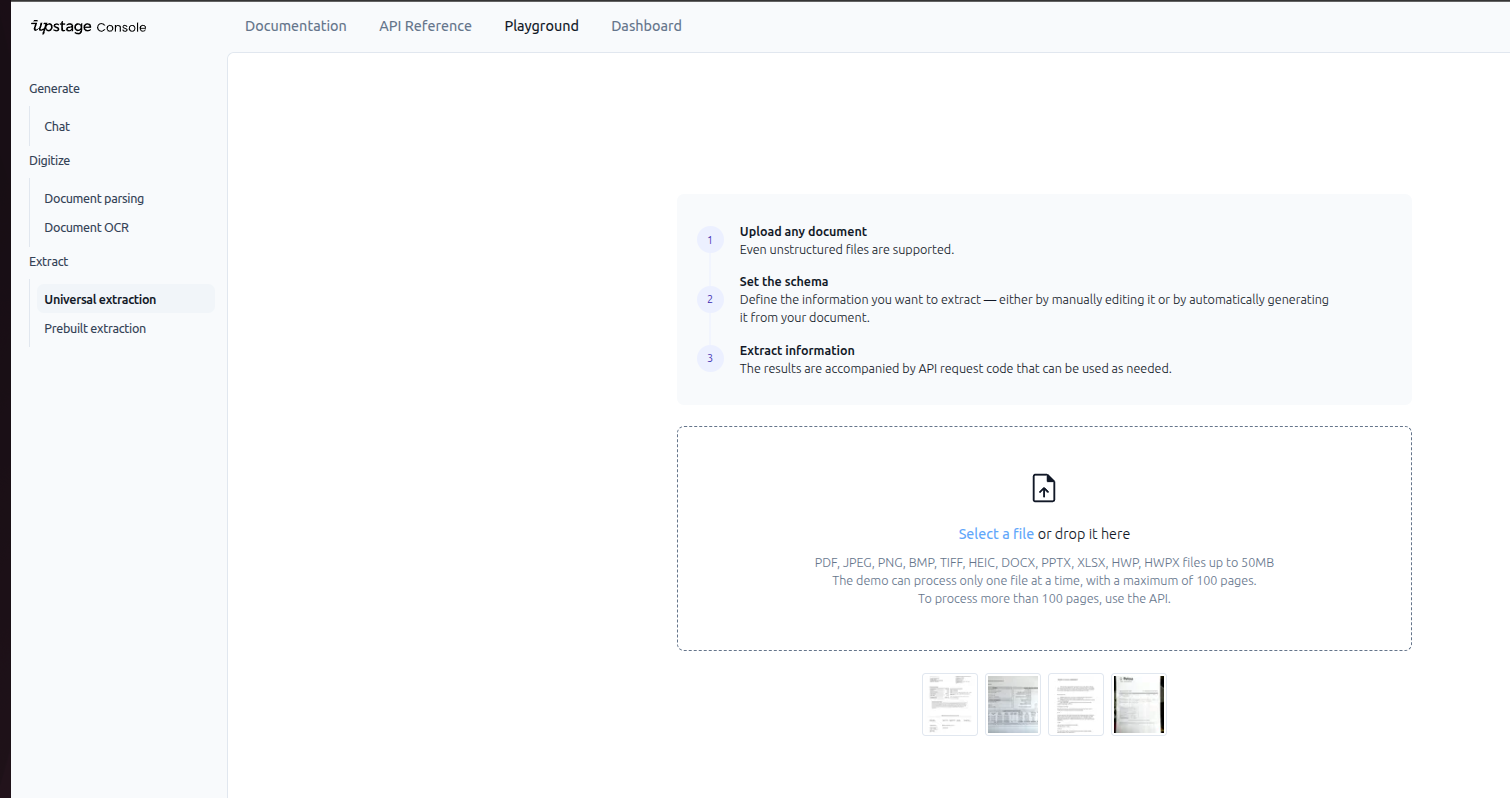
Playground로 확인하고 바로 붙이기
- Universal extraction 화면에서 파일 업로드 → 스키마 붙여넣기 → 결과/좌표/신뢰도 확인하면 된다
- Prebuilt extraction 화면에서 문서 유형 모델을 선택해 즉시 결과를 비교하면 된다
- 블로그 본문에 Figure로 첨부한 Universal/Prebuilt Playground 캡처를 참고하면 된다
[Upstage Credit Redeem code]
UPWAVE-YOONK
업스테이지 콘솔에서
https://console.upstage.ai/docs/capabilities/extract
Dashboard > credit -> reddem 코드를 입력하면 70달러의 크레딧을 제공한다.
'Upstage' 카테고리의 다른 글
| Upstage Document Parse API 가이드 (0) | 2025.11.25 |
|---|---|
| n8n + Upstage Solar 기반 AI Prompt Generator 구축기 (0) | 2025.10.15 |
| n8n + Upstage Console로 만드는 간단한 채팅 에이전트 (0) | 2025.10.02 |
| Upstage Console 소개 (0) | 2025.09.15 |
| Upstage LMS 강의 후기 (0) | 2025.09.08 |